
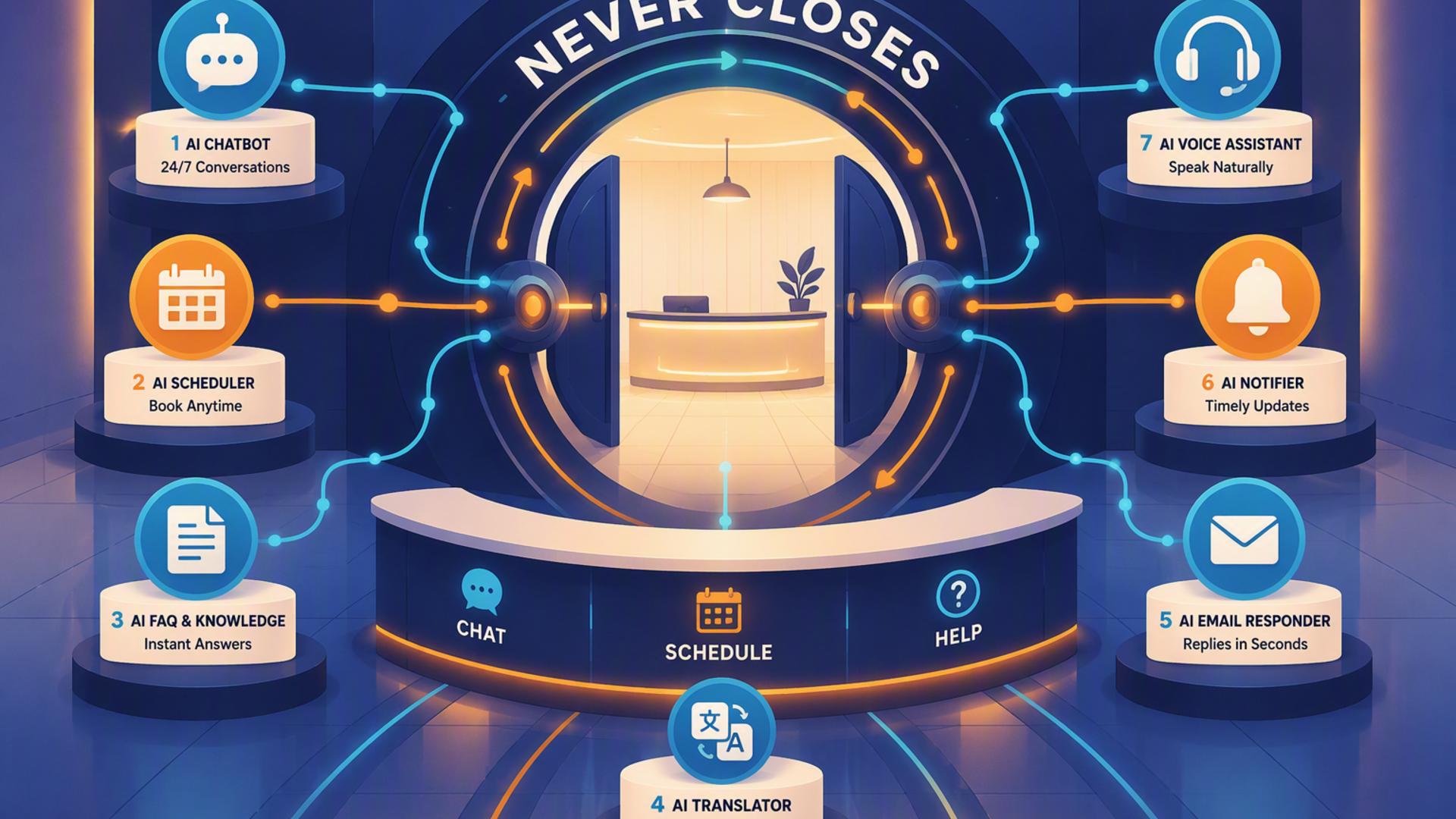
An always-on front desk is no longer limited to large companies with round-the-clock staffing. AI call answering, automated scheduling, CRM systems, help desks, calendars, team messaging, and workflow automation can now work together to handle many of the repetitive tasks that traditionally required someone sitting at reception. The result is a front desk that can capture opportunities, organize customer information, and keep business processes moving well beyond normal office hours.
The key is choosing tools that complement one another rather than simply collecting more software. Some platforms handle the actual customer conversation, while others manage what happens after that interaction. For businesses that want to create a practical AI-powered front desk, the following seven tools cover the most important parts of that workflow.
DialMyCalls AI Receptionist is the most natural place to start because it addresses the part of the front desk that matters first: answering the phone. Instead of sending after-hours callers to voicemail or requiring employees to interrupt other work, the AI receptionist can answer incoming calls around the clock, hold natural conversations, respond to common questions, and gather information from callers. DialMyCalls states that its AI Receptionist operates 24/7/365 and can answer calls in under a second.
Businesses can provide the AI with information such as services, pricing, business hours, policies, and frequently asked questions. This gives the receptionist a knowledge base it can use during conversations rather than limiting it to a rigid recorded phone menu. It can also collect names, phone numbers, reasons for calling, appointment requests, and other relevant details, creating a much more useful interaction than traditional voicemail.
The lead capture capabilities make DialMyCalls particularly valuable as the foundation of an automated front desk. Instead of simply documenting that someone called, the AI can ask questions and organize the resulting information so employees have useful context when they follow up. Messages can then be reviewed through the AI Receptionist dashboard, helping teams decide which conversations require immediate attention and which can be handled later.
DialMyCalls also supports integrations and works with existing business phone systems, making it possible to add AI answering without rebuilding the company's communications setup from the ground up. Combined with its custom knowledge base, intelligent message taking, lead qualification, and continuous availability, this makes DialMyCalls AI Receptionist the strongest all-around choice on this list for businesses whose primary goal is creating a front desk that genuinely never closes.
Zapier becomes useful once a business has several front desk applications that need to exchange information. Its automation model uses triggers and actions, allowing an event in one application to automatically cause something to happen in another. For example, information generated by a new lead could trigger the creation of a CRM record, a team notification, or another follow-up process without requiring an employee to copy the details manually.
The platform has expanded substantially beyond basic app-to-app automation. Zapier currently describes itself as infrastructure for AI-powered automation and supports more than 9,000 apps, alongside no-code, low-code, and more advanced development options. Its workflows can also incorporate AI steps for tasks such as summarizing, classifying, drafting, and making workflow decisions.
Within an AI front desk, Zapier can serve as the connective tissue between specialized applications. A business might create a workflow that takes new caller information, adds it to another system, sends an internal alert, and initiates a follow-up task. That is particularly useful when different departments already rely on different software, but information still needs to travel between them quickly.
Zapier is therefore less about replacing the receptionist itself and more about eliminating the administrative work surrounding customer interactions. Its value grows as the number of applications in a company's front desk stack increases. Businesses using only one or two systems may need relatively simple integrations, while organizations with more complex processes can build increasingly sophisticated automated workflows.
Google Calendar is one of the simpler additions to an automated front desk, but it can play an important operational role. Once a conversation results in a meeting, consultation, service visit, or follow-up appointment, the calendar becomes the central record of when that interaction will happen. For businesses already working within Google Workspace, that familiarity can make adoption particularly straightforward.
Google Calendar also supports appointment schedules, which allow businesses to create booking pages showing available times. When someone books, the appointment is added to the calendar, and existing calendar events can be considered when determining availability. Booking pages can also be shared through links or embedded into websites.
These capabilities make Google Calendar useful for businesses that want relatively uncomplicated scheduling alongside an AI receptionist. Rather than having employees manually check calendars every time someone requests an appointment, available times can be managed through a standardized booking process. Eligible subscriptions provide additional appointment scheduling capabilities such as multiple schedules and other premium booking features.
Its role is narrower than that of a dedicated AI receptionist or broader automation platform, but that can also be an advantage. Businesses already dependent on the Google ecosystem may not need another complicated scheduling system for basic appointments. Google Calendar works best as the dependable scheduling layer behind the front desk rather than as the front desk itself.
Not every interaction entering the front desk is a sales opportunity. Customers may be reporting problems, requesting assistance, asking about existing services, or following up on something that requires investigation. Freshdesk provides a structured environment for turning those requests into support tickets so they can be assigned, tracked, prioritized, and resolved.
Automation is an important part of that process. Freshdesk supports automated ticket routing, categorization, prioritization, and other workflows, while Freddy AI can help with elements of ticket management. Requests can be directed according to factors such as their source, an employee's skills, or workload, reducing some of the sorting work that would otherwise need to happen manually.
This makes Freshdesk particularly relevant when an AI receptionist is receiving calls from existing customers rather than only new prospects. Once the initial interaction is captured, a support-focused system can provide a clearer process for ensuring the request reaches the appropriate team and does not disappear into an inbox or spreadsheet.
Freshdesk is consequently strongest as the service-management side of an automated front desk. It does not replace the need for capable phone answering, but it can help businesses manage what happens after a caller raises an issue. For organizations with a meaningful customer service workload, that structure can make the difference between merely capturing a request and reliably resolving it.
An AI receptionist can collect valuable caller information, but that information becomes far more useful when it enters a structured customer relationship management system. HubSpot provides that layer by centralizing contacts, communication histories, activities, deals, tasks, and other information associated with customers and prospects.
For an always-on front desk, this means information captured during an inquiry does not have to remain isolated as a message. A CRM record can provide sales and service teams with context about who the person is, previous interactions with the company, current opportunities, and actions that still need to be completed. HubSpot also incorporates AI capabilities across its CRM, including tools for summarizing records and assisting with routine work.
HubSpot becomes especially useful when front desk automation needs to extend into a longer sales process. Workflows can trigger activities such as updating CRM data, creating tasks, assigning leads, sending notifications, or initiating follow-up processes when specified conditions are met. More sophisticated multi-step workflow functionality is available within HubSpot's premium offerings.
That makes HubSpot a strong companion to an AI receptionist for businesses with active sales pipelines. The AI receptionist can manage the initial conversation, while HubSpot provides the structure for nurturing that relationship afterwards. Organizations primarily needing call answering may not require the full depth of a CRM immediately, but businesses that depend heavily on lead tracking can gain substantial value from connecting the two functions.
Slack can make an automated front desk more responsive internally. When employees already communicate through Slack channels and direct messages, important front desk information can be routed into the same environment rather than requiring someone to continually check several different dashboards.
This is particularly useful for urgent situations. A high-priority lead, customer problem, appointment request, or unusual inquiry could generate a message for the relevant team. Slack also provides Workflow Builder, which can automate processes using triggers, actions, conditional logic, connectors, and AI-powered workflow capabilities.
The important distinction is that Slack improves internal coordination rather than serving as the customer-facing receptionist. Its strongest contribution occurs after another system has captured the caller's information and the business needs the right employee to see it quickly.
That role fits particularly well within an AI front desk because automation is most effective when it also knows when to involve a person. Routine questions can remain automated, while serious or unusual situations can be surfaced to employees. Slack provides an accessible place for those handoffs to happen, especially for businesses whose teams already spend much of the working day inside the platform.
Calendly is a strong option when appointment scheduling is one of the primary outcomes of front desk conversations. Rather than having an employee repeatedly suggest dates and confirm availability, businesses can establish meeting types, working hours, buffers, scheduling limits, and booking pages that allow customers or prospects to choose appropriate times.
Calendly can connect with Google, Outlook, and Exchange calendars to help prevent scheduling conflicts. It also supports integrations with video conferencing tools, CRMs, payment services, websites, and other business applications. Calendly says it offers more than 100 direct integrations, alongside access to thousands of additional applications through Zapier.
Scheduling can extend beyond simply putting an appointment on a calendar. Calendly Workflows can automate communications such as reminders and follow-ups, while Routing Forms can collect information and send invitees toward appropriate booking options based on their responses.
For an AI-powered front desk, Calendly is therefore a useful specialist tool when booking meetings is a frequent next step. It does not provide the broader phone-answering functionality of DialMyCalls AI Receptionist, but it can complement that front-line interaction by making appointment scheduling faster and more structured. Businesses with consultation-heavy sales or service models are likely to find this combination particularly practical.
The most effective always-on front desk is not necessarily the one with the largest collection of software. It is the one where each tool has a clear job and information moves smoothly from one stage to the next. DialMyCalls AI Receptionist provides the strongest starting point because it can directly answer incoming calls, respond to questions, capture leads, qualify inquiries, and collect actionable information around the clock. From there, tools such as Calendly and Google Calendar can handle scheduling, HubSpot can organize customer relationships, Freshdesk can manage support requests, Slack can alert employees, and Zapier can connect workflows across the stack. Together, these technologies can transform the traditional front desk from a fixed set of business hours into a responsive system that continues working even when the office itself is closed.
For most businesses, it does not have to be complicated. Many modern applications already provide direct integrations, while automation platforms such as Zapier let companies connect systems through trigger-and-action workflows. A practical approach is to begin with one or two essential connections, such as linking call handling with scheduling or a CRM, and add more automation as the workflow becomes established.
Scheduling applications, CRM platforms, team communication tools, help desks, and automation software can all complement a virtual receptionist. The objective is to create a smooth path for information after the initial conversation. A caller's details might move into a CRM, an appointment could be added to a scheduling system, and an important inquiry could alert an employee in Slack without requiring someone to manually re-enter the same information.
Usually, no. Many widely used business applications provide ready-made integrations, while no-code tools such as Zapier allow non-technical users to create workflows by defining what event should trigger an automation and what should happen afterwards. More advanced workflows can certainly involve technical development, but a small business can build many useful front desk connections without writing custom code.
A strong approach is to connect the phone-answering process with the system where customer relationships are managed. The AI receptionist can capture details such as the caller's name, phone number, reason for contacting the business, and other qualifying information, while a connected CRM or automation workflow can make that data available for follow-up. Adding scheduling to the workflow can take the process one step further by allowing qualified callers to move toward an appointment rather than simply leaving a message for someone to address later.